.csv format (UK site, Value column in £ only)
Portfolio Summary
Client Name:,Mr Donald Duck
Client Number:,2590555
Valuation as at,16-05-2026 19:31Trade date,Settle date,Reference,Description,Unit cost (p),Quantity,Value (£)
“09/05/2024″,”09/05/2024″,”INTEREST”,”Interest From 10/04/2024 TO 09/05/2024″,”n/a”,”n/a”,”0.08″
“02/05/2024″,”02/05/2024″,”MANAGE FEE”,”HL Stocks & Shares To A/C 01C0256652820″,”n/a”,”n/a”,”-3.75″
“16/11/2023″,”20/11/2023″,”B648155133″,”iShares V plc S&P 500 Information Technology Sector UCITS ETF 878 @ 1888.1849″,”1888.1849″,”878.000000″,”-16590.21″
“16/11/2023″,”20/11/2023″,”S648155293″,”H & T Group Ord Gbp0.05 3693 @ 451″,”451″,”3,693.000000″,”16642.48”
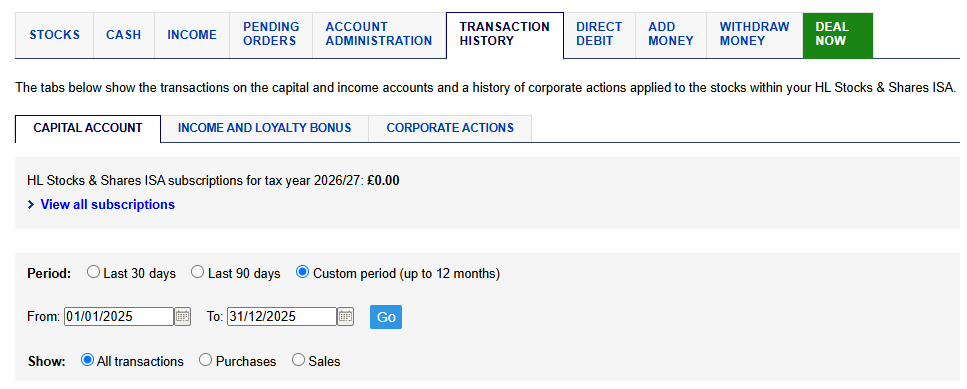
Choose a GIA account (ISAs and SIPPs are not taxable) and select Transaction History.
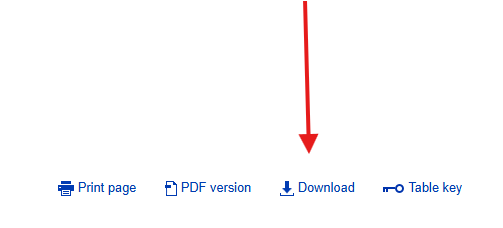
Set a date from the day you first opened the account to December 31st of that same year and click Download. Repeat for all following years (1 Jan – 31 Dec) and the final year (1 Jan – 7 May or later). Use Custom period and All transactions…
For dividend data, etc. (not required for capital gains calculations), you can use the INCOME AND LOYALTY BONUS tab.
Keep the exported CSV files for next year. Only the previous year (as a full year) and the current partial year CSV files will need to be exported. By using full years, you do not have to remember when you opened the account or what date the end of the tax year is (as long as the last date is beyond May 5th).